
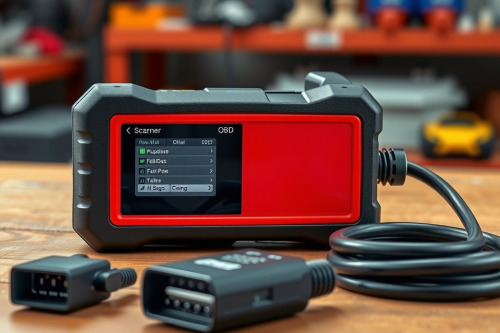
A cheap handheld code reader leaves you stranded when diagnosing complex network dropouts or intermittent CAN bus errors on a customer vehicle. In our shop, we wasted hours chasing phantom sensor faults before realizing standard code readers miss manufacturer-specific proprietary networks entirely. Understanding true professional OBD2 scanner differences separates efficient technicians from parts-changers swapping components blind. Investing in workshop-grade diagnostic hardware prevents misdiagnosis and protects your bay turnover rate.
Hardware architecture and professional OBD2 scanner differences
Consumer dongles run on basic 8-bit microcontrollers that easily choke on heavy data frames. Professional scan tools deploy high-speed quad-core or octa-core processors with at least 4GB of RAM and dedicated internal storage. They handle rapid signal processing without freezing during critical drive cycles.
Input protection matters on the job. Workshop diagnostics expose scan tools to voltage spikes up to 48V, reverse polarity, and static discharge from synthetic shop floors. Cheap scanners fry their internal boards under these spikes. Professional units include optocoupler isolation and heavy-duty transient voltage suppressors across all 16 pins of the data link connector. Pair your scan tool data with a benchtop oscilloscope when validating analog wave signals against corrupted digital bus packets.
Multiplexing and pin switching
Entry-level scanners hardwire pin 6 and pin 14 for standard high-speed CAN communication. They can't read secondary networks. Professional tools incorporate electronic multiplexers that dynamically route signals from any pin on the OBD2 port. This switching lets you talk to climate control, body modules, and infotainment units running on single-wire CAN or legacy K-line networks.
Protocol access across modern vehicle networks
Modern vehicles no longer communicate solely on classic 500 kbps CAN networks. Today, CAN FD and DoIP protocol support has become mandatory for late-model chassis. Without these protocols, your diagnostic tool can't establish communication with gateways on modern platforms.
A basic reader displays generic P0 codes defined by SAE standards. It remains blind to enhanced OEM-level diagnostic trouble codes generated by transmission control modules, radar units, or electronic parking brakes. A professional diagnostic tablet reads manufacturer-specific manufacturer codes, including freeze-frame data that records fuel rail pressure, engine load, and wheel speed at the exact millisecond a DTC flags.
Security gateway authentication
Automakers lock modern onboard networks behind cyber security gateways. You cannot clear codes or run component tests without authenticated access. Professional tools integrate direct software licenses to unlock these gateways automatically over Wi-Fi. A budget tool simply halts communication at the firewall.
Bi-directional control and professional OBD2 scanner differences
Read-only tools force technicians to guess component failures based on static codes. True bi-directional control functionality allows you to send command signals directly to actuators, solenoid valves, and relays. You command the ABS pump to purge air or tell the fuel pump to run at 100% duty cycle directly from the screen.
Active testing isolates mechanical problems from wiring harness breaks in minutes. If you command an electronic throttle body to 50% open and the sensor voltage doesn't change, you inspect the actuator immediately rather than probing intermediate harness connections for 2 hours.
High-speed PID monitoring
Live data graphing and PID monitoring reveal sensor dropouts that trigger no active fault codes. Cheap tools update at 2 to 4 data frames per second, skipping fast glitches completely. Professional scanners capture live streams at over 30 frames per second across 8 PIDs simultaneously. You spot a 10ms drop in throttle position sensor voltage instantly on a visual graph overlay.
ECU programming, calibration, and coding depth
Replacing components on modern vehicles requires software handshakes. Basic tools reset oil lights and steering angle sensors, but they fail when you swap an injector, steering rack, or headlight module. Professional diagnostic tablets deliver advanced ECU coding and programming capabilities that pair new module serial numbers with the primary engine control unit.
Online parameterization downloads factory calibration maps directly from OEM cloud servers. When replacing a dynamic steering sensor, the scanner writes the zero-degree offset point to non-volatile memory in 12 seconds. Without this function, the vehicle remains in limp mode, forcing you to sublet the job to a dealer.
J2534 pass-thru compliance
Tier-one professional diagnostic packages include a standalone J2534 VCI box. This interface enables full module re-flashing using OEM subscription software downloaded to a shop laptop. You flash updated shift schedules into transmission modules and resolve factory software bugs without replacing physical hardware.
Diagnostic efficiency and shop investment decisions
Time lost to inadequate scan tools destroys shop profitability. When a technician spends 45 minutes wrestling with an uncooperative scanner, billable labor vanishes. An investment of 1500 to 4000 dollars in a commercial scan platform pays for itself within 3 months by slashing diagnostic time per ticket from 90 minutes down to 20 minutes.
Update fees represent an unavoidable operational cost. Professional tools require ongoing subscriptions to maintain access to newer vehicle models and security patches. Budget around 600 to 1000 dollars annually for software maintenance to keep your diagnostic capabilities current.
Final field inspection advice
Recognizing real professional OBD2 scanner differences protects your repair facility from purchasing underpowered hardware that stalls diagnostic throughput. Before buying your next diagnostic platform, audit your shop fleet profile, verify factory protocol coverage, and test bi-directional responsiveness on a live vehicle. Select a commercial-grade scanner with integrated CAN FD hardware and strong module programming capabilities to handle incoming repair orders with complete confidence.