
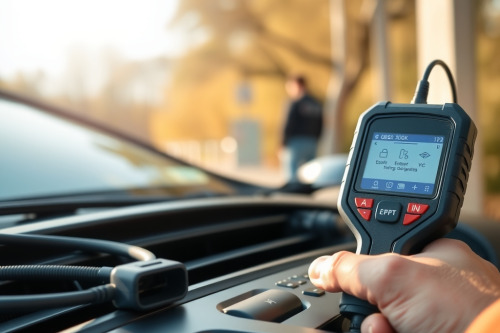
After 20 years of busting knuckles on modern drive-axles and multiplexed networks, I've seen basic code readers burn thousands of dollars in lost shop hours. Picking an OBD2 scanner for advanced vehicle diagnostics isn't about fancy touchscreens; it is about whether that box can handle deep network topologies without locking up. A flat-rate tech can't survive on generic DTCs alone when intermittent CAN bus drops freeze a vehicle in your stall. Invest in proven throughput and hardware reliability right now to save your sanity on Monday morning.
Evaluating hardware protocols for an OBD2 scanner for advanced vehicle diagnostics
Modern vehicles throw massive communication loads across gateway modules. If your tool lacks native CAN FD and DoIP protocols, you lock yourself out of late-model GM, Ford, and European chassis. Processing speed dictates how fast you capture erratic dropouts on critical sensor circuits.
Data bus speeds and processing architecture
Legacy OBD2 transceivers crawl at 500 kbps on high-speed CAN networks. Newer systems demand transfer rates hitting 2 Mbps or 5 Mbps under CAN FD. Running an underpowered diagnostic tool creates packet loss and hides glitching signals from view.
A solid interface demands at least 4 GB of RAM paired with an 8-core processor running on a dedicated 64-bit operating system. Hardware latency over 150 ms will miss momentary throttle position glitches. Slow interfaces waste costly bay time while your diagnostic suite buffers real-time frames.
Bidirectional control and active component testing
Reading fault codes only points you toward an affected subsystem. Finding the defective component requires forcing the control module to drive solenoids, relays, and motors on command.
Isolating circuits without breaking harnesses
Bidirectional functionality saves hours of invasive manual testing. Command the fuel pump control module to ramp duty cycle from 10% to 90% while monitoring rail pressure directly. Fire individual evaporative purge valves to verify physical seat seal without pulling the intake manifold.
When an actuator ignores commands, pair your scan routine with an oscilloscope to distinguish between blown driver stages and mechanical binding. That decisive distinction stops parts-cannon guesswork on expensive customer repairs.
Live data stream PID capture and sample rates
Capturing sensor failures requires raw sampling bandwidth. Generic diagnostic scan tools throttle data refresh rates down to 2 samples per second when reading 10 or more parameters at once. That refresh rate is useless for detecting secondary ignition breakdown under load.
Configuring custom PID groups
An advanced tool allows customized PID packaging that maintains at least 30 Hz refresh rates across 4 focused parameters. Pinpoint oxygen sensor response times alongside short-term fuel trim variations during sudden wide-open-throttle tip-in tests. Freezing and overlaying waveforms exposes fuel delivery deficits instantly.
Watch the sample buffer depth carefully before buying. Tools with minimal internal memory truncate live graph records after 60 seconds, forcing you to repeat road tests repeatedly.
ECU coding and module replacement capabilities
Hardware swaps rarely complete with standard hand tools anymore. Installing steering angle sensors, throttle bodies, or injector banks demands targeted adaptation routines to write operational limits into persistent memory.
Online coding versus offline configuration
Offline configuration handles basic variant coding on standard domestic controllers. European platforms require online server connectivity to recalculate checksums and write proprietary configuration strings into gateway modules.
Missing security access gateway bypass capabilities halts your diagnostic process cold. Modern secure gateways block unauthenticated bidirectional commands instantly. Verify your device handles direct authentication access to preserve your shop workflow.
Software update policies and maintenance overhead
A scan tool turns into an expensive paperweight if software support drops off. Manufacturers update network configurations and calibration parameters continuously across every model year release.
Calculating long-term operating costs
Scrutinize annual subscription contracts before signing on. Certain diagnostic brands lock the entire machine down if your yearly subscription lapses, while others maintain active operation on existing software versions without forcing ongoing renewals.
Budget an extra $600 to $1200 annually for continuous European and domestic vehicle software patches. Factor this overhead directly into your billable diagnostic labor rates to safeguard your gross margins.
Deployment tips for an OBD2 scanner for advanced vehicle diagnostics
Buying the best OBD2 scanner hardware is pointless if you handle it improperly during high-stakes jobs. Never flash a control module without an external clean battery support unit delivering steady 13.8V power. Voltage drops during calibration sequences brick expensive processors within seconds.
Keep your diagnostic software updated monthly, back up your customer scan histories, and train your crew on multiplex network isolation. Master techs don't guess at electrical gremlins; they verify signals systematically. Select an OBD2 scanner for advanced vehicle diagnostics that handles heavy bus loads, secure your diagnostic cart, and start preventing comebacks on complex driveability jobs today.