
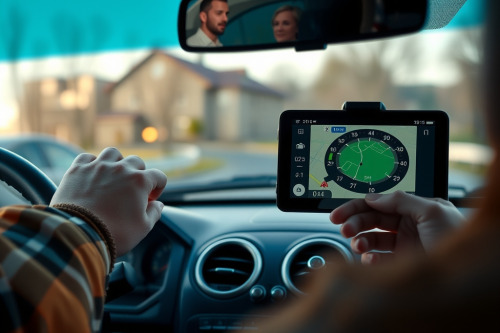
A blaring warning tone 500m past a speed trap is worse than useless. After road-testing dozens of navigation consoles across 40000km of highway, I've seen poor calibration cause dangerous driver distractions. Configuring speed limit alerts properly eliminates false triggers while keeping you ahead of sudden enforcement zones. Get your telemetry dialed in before your next run.
Telemetry sync and configuring speed limit alerts
Factory defaults on most navigation mounts treat speed updates as low-priority background cycles. That delay creates a lethal margin of error at 110km/h. You need instantaneous cross-referencing between onboard speed databases and real-time velocity calculations. Velocity reading relies on the Doppler effect across satellite signals rather than simple positional pinging.
Dig into your device telemetry settings. Set the polling rate to at least 5Hz if your chipset permits it. The best gps for car setups allow manual entry of speed buffer tolerances. Configure your zero-tolerance threshold for strict 30km/h urban zones. Expand that threshold to a 5km/h allowance on multi-lane divided expressways to stop phantom chirps.
Tackling latency lag and signal triangulation errors
Multi-path interference degrades real-time speed monitoring in dense urban canyons. When skyscraper glass bounces GNSS signals, raw signal triangulation falters. Your instantaneous speed reading drops, jumps, and then triggers an overspeed warning unexpectedly. This latency lag turns driver assistance into driver annoyance.
Hardware with integrated inertial sensors solves this. An internal gyroscope fills satellite blackout gaps using 6-axis dead reckoning. Verify that your device has dead reckoning enabled in the advanced receiver sub-menu. High-tier units calculate wheel movement or vehicle pitch dynamically, preserving speed accuracy through long tunnels where pure satellite locks completely drop out.
Audio threshold calibration and preventing rerouting loops
Nuisance alerts train drivers to ignore crucial audio warnings. Configure two distinct alert stages: a soft visual icon at 1km/h over and an assertive audio chime at 7km/h over. Never set safety notifications to trigger voice interruptions for every minor throttle twitch.
Improper warning thresholds frequently interfere with path recalculation engines. Heavy processor loads during simultaneous routing updates and voice chime execution cause software lockups. Fine-tune your route logic to prioritize basic path continuation, preventing rerouting loops while recalculating alternative approaches during heavy congestion. A clean gps navigation interface separates mapping calculation threads from warning chime alerts to maintain continuous guidance.
Hardware interface pitfalls: glare washout and capacitive ghosting
Physical dash placement directly dictates alert visibility. Direct summer sunlight creates severe glare washout on cheap display panels. Choose a dedicated console featuring an anti-reflective matte screen with minimum 800 nits brightness. If you can't see the warning banner within a 0.25-second glance, your mounting position is a road hazard.
Cabin microclimates also destroy touch accuracy. Extreme heat cycles cause capacitive ghosting, registering phantom inputs that alter alert sensitivity settings on the fly. Position your console away from direct defroster vents. Sturdy ball mounts cut engine vibration harmonics that otherwise rattle loose internal connectors inside the chassis over 10000km of rough pavement.
Best practices when configuring speed limit alerts in the field
Firmware builds require periodic audits. Camera locations shift and variable limits change quarterly across state jurisdictions. Set a calendar reminder every 60 days to download fresh base-layer maps onto your storage card. Offline database validation remains critical for long-distance transit across dead zones.
Modern navigation hardware gives you complete control over your cabin alerts. The best gps navigation for car deployment balances loud critical alerts with silent visual telemetry. Calibrate your warning buffers based on verified vehicle speedometer error, which typically runs 2% to 5% higher than true ground speed. Eliminate guesswork by syncing physical cluster outputs against steady GNSS feeds.
Actionable deployment checklist for your vehicle console
Mount your device low on the windshield to minimize line-of-sight obstruction. Test audio alert audibility against 70dB of interior cabin wind noise before departing. Configuring speed limit alerts with deliberate, tested thresholds prevents costly speeding citations while protecting engine longevity. Take 15 minutes today to audit your console settings, secure your wiring harness, and drive with absolute telemetry precision.