
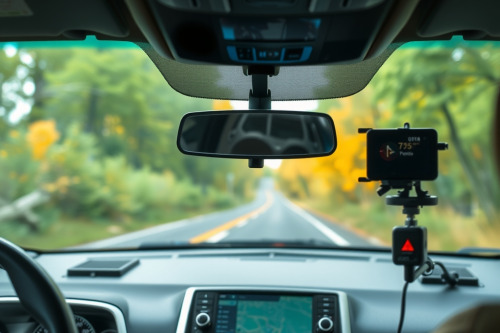
I've salvaged dozens of road trips wrecked by dead batteries and fried phones cooking on dashboards. When you pit offline maps vs dedicated gps hardware, consumer phones drop the ball on sustained satellite tracking. Thermal lockouts and dropped signals leave you stranded precisely when route recalculation matters most. Here's what happens under the hood when choosing the best gps navigation for car travel.
Hardware Realities: Offline Maps vs Dedicated GPS Antennas
Smartphones squeeze multi-band antennas into razor-thin chassis packed with cellular modems, Bluetooth chips, and camera sensors. This compact packaging forces compromises. A phone relies on tiny internal traces that struggle with raw signal triangulation when heavy tree canopies or urban concrete canyons obscure line-of-sight access to orbital constellations.
Dedicated receivers carry a high-gain ceramic patch antenna engineered strictly for L1 and L5 satellite signals. They pull clean satellite locks in dense environments where mobile devices lose positioning entirely. When overhead satellite visibility drops to zero inside long tunnels, purpose-built vehicle units deploy hardware-level dead reckoning. Integrated multi-axis gyroscopes and internal speed pulses calculate continuous movement without dropping your path.
Smartphones lack these auxiliary motion sensors tailored for road telemetry. Once your mobile device loses satellite contact, position extrapolation freezes. You face massive latency lag on highway off-ramps, triggering missed exits before the screen catches up to real vehicle velocity.
Thermal Load and Glare Washout in the Windshield Zone
Mounting hardware on a windshield exposes internal electronics to extreme solar baking. Surface temperatures routinely top 55°C on clear summer afternoons.
Thermal Throttling Under Continuous Load
Smartphones run glass sandwiches glued tight around lithium-ion cells. Run high-brightness screens, continuous vector map rendering, and gnss processing simultaneously, and internal temps spike within 20 minutes. Modern smartphones protect their power cells by cutting screen luminosity to 20% or shutting down entirely with a black emergency screen.
Purpose-built gps navigation hardware utilizes passive heat dissipation through ribbed polycarbonate housings. They operate continuously between -20°C and 70°C without shutting off. Their power supplies tap clean 12V vehicle lines directly, bypassing heat-generating battery charging cycles during active guidance.
Visibility and Screen Durability
Direct sunlight causes severe glare washout on standard smartphone screens. High-gloss mobile glass reflects dashboard clutter straight into your eyes. Dedicated dashboard hardware uses anti-glare matte displays pumping out 800 to 1000 nits of continuous output.
Standard phone digitizers also suffer from capacitive ghosting. High cabin humidity, condensation, or direct sunlight induce false touch registrations on phone panels, altering routes without driver input. Commercial standalone units use resistive touch panels or reinforced industrial capacitive layers immune to stray inputs and functional with work gloves.
Processing Architecture and Preventing Rerouting Loops
Stored vector maps demand serious memory bus bandwidth. When driving down intricate multi-lane interchanges, slow memory read operations turn useful navigation into a hazard.
Mobile apps keep downloaded maps compressed inside standard flash storage to conserve phone space. Extracting those map segments while computing turn-by-turn maneuvers strains shared system RAM. Take a sudden detour, and mobile processors choke, preventing rerouting loops only after you cross into the wrong lane. Dedicated car receivers rely on dedicated map coprocessors. Their operating code stays lean, avoiding background app contention or notification interruptions.
Operating offline maps vs dedicated gps setups reveals stark differences in map freshness. Smartphones update offline sector packs seamlessly over home Wi-Fi. Standalone vehicle units require deliberate firmware flashing via SD cards or secondary desktop software. If you neglect scheduled card updates on standalone units, regional road changes can blindside you.
Choosing the Best GPS for Car Needs: Offline Maps vs Dedicated GPS
Your driving profile determines which navigation architecture keeps you rolling safely.
When Smartphones Handle the Job
Casual commuters operating inside metro zones rarely push navigation gear to catastrophic thermal limits. If your commute spans under 45 minutes across open suburban roads with reliable roadside assistance, a smartphone running downloaded map tiles works adequately. Pair the device with an air-vent mount to supply active air-conditioning airflow across the rear casing.
When a Standalone Receiver Is Mandatory
Long-haul road trips, desert overlanding, and back-country driving demand the best gps for car safety. You can't afford thermal blackouts when navigating isolated trail switchbacks. Standalone receivers run hours under punishing windshield solar radiation while maintaining dependable line-of-sight tracking. The rugged mounting hardware, oversized power capacitors, and high-gain receiver arrays justify the dashboard footprint.
Field Deployment and Buying Advice
Test your hardware baseline before committing to a remote route. If you depend on offline maps on a handheld, mount the phone out of direct sunlight and run a dry-run navigation test under hot ambient conditions for 60 minutes. Check for thermal dimming and processing stutter during fast vehicle turns.
For uncompromising cross-country travel, invest in a dedicated receiver engineered for permanent cabin duty. Inspect physical mounting brackets for solid mechanical locking, verify screen nits ratings above 700, and ensure map updates cover your targeted corridors. Match your hardware directly to your route environment and outfit your cabin with the best gps navigation for car reliability today.