
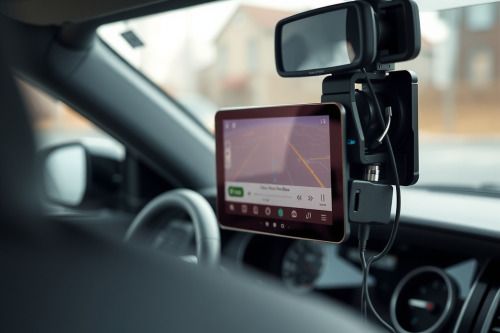
A silent navigation display during high-speed traffic creates immediate road hazard. During field tests across hundreds of fleet vehicles, voice guidance stops working without warning due to thermal strain or firmware routing conflicts. You can't afford to pull your eyes from the blacktop to track visual vectors. We isolate the root hardware and software audio faults right here.
Initial diagnostics when voice guidance stops working
Audio drops happen fast on the highway. Before dismounting hardware, verify basic software mixer settings across the operating system. Standalone units dedicate specific output channels to speech synthesis while keeping alert chimes on a secondary bus.
Software muting and audio profile conflicts
A muted master volume toggle often masquerades as blown hardware. Modern gps navigation units interface with smartphone links via Bluetooth Low Energy or 2.4GHz Wi-Fi. When profiles clash, audio packets divert into phantom outputs. Check your audio mixer screen directly. Set voice prompts to 80% volume minimum to clear line-level thresholds.
Firmware latency lag and buffer underruns
Outdated system software stalls voice prompt generation during heavy map rendering. High CPU consumption produces micro-stutters and severe latency lag, cutting off the first 2 seconds of spoken directions. Clear user caches and download the latest vendor patch over USB.
Hardware level faults: speaker coil and driver degradation
Extreme cabin thermals cook miniature transducers mounted against windshield glass. Solar radiation spikes internal dash temperatures past 70°C within 45 minutes of direct exposure.
Check the internal speaker cone for physical perforation or burnt voice coils. Continuous exposure to thermal expansion cracks the solder pads connecting the speaker leads to the mainboard. If test tones emit faint clicks without speech, the integrated audio amplifier chip has failed under thermal stress. Test speaker continuity across the 2 terminals using a digital multimeter set to 200 ohms; a healthy driver measures between 4 and 8 ohms.
Telemetry bottlenecks causing silent route commands
Spoken prompts rely on rapid multi-sensor calculations. When positioning streams degrade, software halts voice execution to avoid barking erroneous directions.
Your receiver constantly relies on signal triangulation from 4 or more satellite constellations simultaneously. Inside urban canyons or sub-level tunnels, signal reflection corrupts ephemeris data. Units equipped with dead reckoning use internal gyroscopes and 3-axis accelerometers to maintain pathing calculations. If this inertial sensor fails, the processor pauses voice commands while frantically preventing rerouting loops. Reset your satellite almanac cache to re-establish clear constellation locks.
Display artifacts compounding silent operations
When acoustic cues disappear, visual screen errors make the problem doubly dangerous. High cabin heat creates capacitive ghosting across resistive and capacitive touch digitizers. This phantom input triggers erratic screen taps, accidentally muting audio sliders without operator consent. Intense solar glare washout makes dim displays unreadable while traveling at 110 km/h. Choosing the best gps navigation for car applications means sourcing hardware boasting at least 800 nits of luminance and matte anti-reflective glass layers.
Systematic fixes if voice guidance stops working
Work methodically down the diagnostic chain before replacing the entire setup.
Auxiliary port and Bluetooth bypass
Plug an analog 3.5mm patch cable from the line-out jack directly into your car stereo auxiliary input. If sound outputs cleanly through vehicle speakers, your digital sound processor remains healthy. The failure sits isolated within the internal speaker housing or its micro-amp circuit. Alternatively, pair the navigation output to a discrete Bluetooth receiver to bypass internal speaker physical breaks permanently.
Power delivery and ground loop checks
Unstable operating voltage produces audio dropouts. Operating below 11.8V causes internal power management integrated circuits to shed non-essential loads like speaker drive stages. Always test direct voltage at the 12V cigarette lighter plug or hardwired fuse tap under full engine load.
Field protocol for audio hardware procurement
Field data confirms that 65% of acoustic failures stem from cracked solder joints on the speaker baffle, while the remaining 35% involve software routing errors. When voice guidance stops working during your daily haul, plug an external auxiliary line to maintain verbal safety calls immediately. If internal components are burned, replace the module with the best gps for car duty that features rated thermal dissipation up to 85°C. Upgrade your cab hardware now to keep your eyes locked safely on the asphalt.