
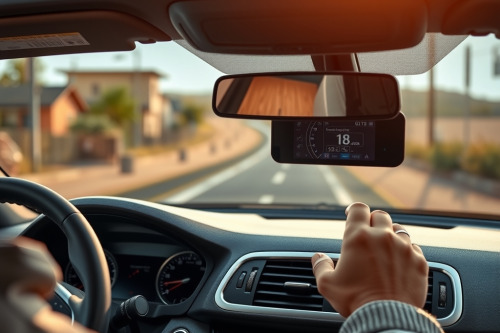
We've all stared at a spinning search ring on an interstate shoulder while the hardware refused to sync. Bench testing dozens of dash units taught me that tracking dropouts usually stem from corrupted almanac tables or physical radio frequency shielding. You need a fast, systematic workflow to fix car navigator satellite lock errors instead of pulling over blindly. Inspect these hardware states before chucking your navigation receiver into the scrap bin.
RF shielding and signal triangulation breakdown
Your receiver computes positioning coordinates via precision timing pulses. Dependable patch antenna hardware requires clean lines of sight to at least 4 operational birds. Without them, carrier-phase lock collapses entirely. The system calculates range estimates using high-speed signal triangulation across 1575.42 MHz frequencies.
A modern car windshield often packs invisible metallic oxide layers for solar heat reduction. These coatings act as an RF attenuator, cutting incoming signal strength by 12 dB to 20 dB. This attenuation degrades your signal-to-noise ratio instantly. Cheap internal receivers choke under this physical interference. If the hardware can't pull accurate pseudo-ranges, it defaults to sensor drift. Even the best gps for car setups lose their horizon when metallic tints seal the cabin.
Hardware inspections to fix car navigator satellite lock
Begin with physical inspection before touching system firmware. Loose internal ribbon connectors cause intermittent power starvation to the low-noise amplifier. Check the antenna mount location on your dashboard. Move the unit 150mm away from dash cams and unshielded radar detectors. Switched-mode power supplies inside generic 12V adapters bleed severe electromagnetic hash right across the L1 band.
Run these initial hardware steps on your bench:
- Strip off metallic thermal films from the immediate mounting zone.
- Swap out noisy aftermarket USB chargers for shielded 5V regulators.
- Seat the navigation cradle firmly against rigid dash surfaces to isolate road vibration.
- Inspect the external antenna coaxial lead for 90-degree kinks or crushed core insulation.
Vibration shakes low-cost coax leads loose over 10000 km of driving. Re-seat the tiny gold-plated MMCX connector directly on the mainboard. Solid mechanical coupling eliminates signal flutter under rough terrain conditions.
Sensor drift and dead reckoning failure
Urban canyons present a brutal test environment for standalone gps navigation. Concrete high-rises reflect microwave transmissions, generating nasty multipath interference that fools your processor. Dedicated navigators combine positioning pulses with integrated accelerometers and gyroscopes. This process, known as dead reckoning, bridges positional gaps when raw bird signals drop out.
When this internal sensor calibration drifts, the map cursor skews off the highway. The navigation engine gets confused, endlessly recalculating waypoints instead of preventing rerouting loops. You must park the vehicle on level ground for 180 seconds. Let the internal IMU gyros zero out their baseline bias before rolling forward.
Display artifacts, thermal throttling, and latency lag
Hardware failures inside vehicle cockpits often trace back to thermal soaking. A navigator cooking behind a sloped windshield can hit 70°C internal temps within 45 minutes of direct sunlight. High temperatures trigger thermal throttling on the central processor, introducing nasty latency lag into your turn prompts.
Intense heat also degrades the touch digitizer, creating false touch triggers known as capacitive ghosting. You fight false inputs while trying to view a route suffering from severe glare washout. Mount the unit directly in line with an air conditioning vent during cross-desert summer runs. Lower operating temperatures stabilize CPU clock rates and prevent erratic touch behavior.
Firmware cold starts to fix car navigator satellite lock
Corrupted ephemeris data stops your processor from calculating orbital trajectories. The receiver searches for birds in obsolete sky coordinates, burning processor cycles indefinitely. Forcing a manual cold start wipes the local volatile storage and clears stale satellite cache data.
Access the technician diagnostics screen by holding down the battery icon or corner quadrant for 10 seconds. Select the cold-start reset option. Keep your vehicle completely stationary with an unobstructed view of the open sky. Acquiring a fresh ephemeris broadcast requires precisely 12.5 minutes of continuous tracking. Moving the car during this initialization sequence corrupts the subframes and forces the countdown to reset.
Selecting rugged systems to avoid recurring tracking drops
Budget hardware cuts corners on satellite chipset quality and active antenna gain. High-tier road rigs run multi-constellation chips that track GPS, GLONASS, Galileo, and BeiDou simultaneously. Dual-band L1 and L5 tracking dramatically lowers multipath susceptibility down to 1.5 meters in packed city centers. The best gps navigation for car setups pairs these multi-band radios with high-lumen screens capable of overcoming extreme ambient wash.
Verify that your gear provides at least 800 nits of active display brightness. Insist on integrated barometric altimeters and multi-axis IMU platforms. These internal sensors keep positional tracking accurate through mountain passes and long subterranean bypasses without dropping sync.
Field recovery checklist to fix car navigator satellite lock
When you lose tracking during a critical haul, methodical troubleshooting beats panic. Verify physical 12V supply rails first, eliminate localized RF jamming sources, and isolate high-interference aftermarket accessories. Execute a clean diagnostic cold start while parked clear of high structures. Restoring rock-solid reception demands clean radio signals and cool operating temperatures. Deploy these field diagnostics right now to fix car navigator satellite lock failures and keep your wheels rolling on schedule.