
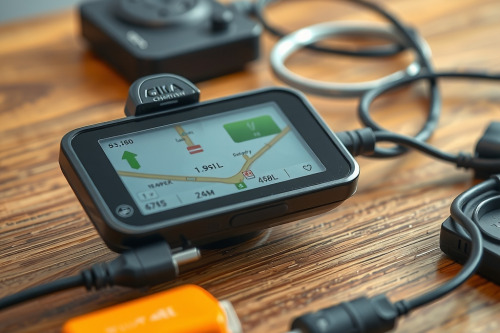
A sudden black screen on a navigation receiver during transit creates immediate operational risk. During 10 years of vehicle fleet diagnostics, I've seen field crews replace functional hardware when simple line failures were the true culprit. Identifying the root causes of GPS unit charging issues prevents unnecessary equipment expense and stops mid-trip navigation blackouts.
Primary Symptoms of GPS Unit Charging Issues
GPS hardware fails predictably when incoming current drops below operational thresholds. You must observe the device behavior closely before dismantling brackets or purchasing replacement units.
Rapid Shutdown After Disconnecting External Power
Your screen dies instantly once removed from the cradle. This symptom points directly to a dead GPS internal battery that can no longer hold surface charge. A healthy lithium-ion pack maintains standby power for at least 45 minutes without continuous DC input. When cell voltage collapses from 3.7V straight to 0V upon disconnection, the protection board has locked out due to degraded cell capacity.
Intermittent Charging Indicators and Display Flickering
The battery icon alternates erratically between charging and discharging states while driving over rough pavement. Mechanical vibrations expose a faulty power cable connection inside the mounting assembly. When resistance spikes at the contact interface, input voltage dips below 4.75V, forcing the internal power management IC to cycle power states repeatedly.
Verifying Hardware Cables and Power Supplies
External supply lines cause over 60% of power delivery failures in commercial and recreational vehicles. You must isolate the supply chain systematically before blaming the receiver hardware.
Measuring Voltage Drop Across 12V Adapters
Vehicle auxiliary sockets accumulate grit and road film over time. A common 12V auxiliary power adapter failure happens when spring-loaded ground tabs lose tension, creating an incomplete ground return path. Plug a dedicated load tester into the outlet. If the measured line drops below 11.8V under a 2A load, the problem resides in your vehicle auxiliary circuit rather than the navigation unit.
Testing Pin Integrity on USB and Pogo Connectors
Examine the gold-plated pins on the cradle mount. Salt, sweat, and moisture cause GPS power port corrosion that impedes current flow. Clean these pins with a swab saturated in 99% isopropyl alcohol. Never scrape the pins with steel tools because removing the gold flash layer accelerates oxidation, permanently ruining the electrical interface.
Diagnosing GPS Unit Charging Issues at the Port and Battery
Internal hardware faults require methodical workbench inspection. If external cables deliver clean current, the receiver internals demand direct testing.
Inspecting Physical Ports
Micro-USB and Type-C sockets absorb substantial torque during off-road movement. Solder pads connecting the port receptacle to the motherboard crack under prolonged shear stress. Wiggle the cable tip gently by 1mm while checking power draw. If current cuts out, the receptacle must be resoldered or replaced on the board.
Assessing Battery Internal Resistance
Lithium-ion cells degrade after 300 to 500 charge cycles, particularly when exposed to windshield heat. High internal resistance triggers low-voltage cutoffs during satellite signal acquisition, which pulls peak current up to 1.5A. If your unit boots on external power but restarts during satellite locking, swap the internal cell immediately.
Environmental Factors and Firmware Glitches
Operational conditions directly dictate charging efficiency. Modern navigation units employ strict thermal safeguards to prevent thermal runaway.
Thermal Throttling on the Windshield
Windshield mounts expose electronic housings to radiant heat exceeding 60°C. Standard charging ICs suspend charge cycles when battery temperature climbs above 45°C. The display remains active, but the battery drains continuously despite being plugged in. Relocate the mount lower on the dashboard away from direct solar radiation to restore standard 5V charging.
Firmware Power Management Loops
Corrupted eprom parameters cause erroneous battery percentage reporting. The unit misinterprets a normal 3.8V reading as critical depletion and executes an emergency shutdown. Connect your unit to an external power supply, execute a 15-second hard power reset, and flash the latest vendor firmware to clear the power register cache.
Field Diagnostic Workflow for Mobile Crews
Execute this field procedure whenever your GPS won't stay powered on during an active deployment:
- Inspect the fuse housed inside the 12V cigarette lighter plug tip.
- Measure the bare cable leads using a calibrated multimeter to confirm consistent 5.0V output.
- Clear out lint and oxidation from the chassis port using compressed air.
- Bypass the quick-release cradle by plugging power straight into the unit body.
Action Plan to Resolve GPS Unit Charging Issues
Eliminate field breakdowns by instituting mandatory pre-trip hardware checks. Inspect power harnesses monthly, discard loose auxiliary adapters, and replace internal batteries showing signs of swelling. Address persistent GPS unit charging issues today by verifying your circuit voltage with professional test gear before deploying on your next route.