
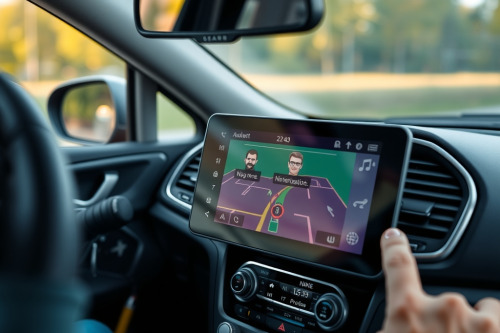
Stock voice profiles on standalone navigation hardware are often shrill, robotic, and lag behind real-time road conditions. After testing dozens of dashboard rigs over 1000s of highway miles, I have seen bad audio cues cause missed exits and dangerous last-second lane changes. Configuring custom voice prompts and alert sounds fixes these jarring audio bottlenecks. Dialing in clean sound alerts keeps your eyes locked on the tarmac instead of checking a jittery screen.
Why default sound alerts bottleneck your drive
Factory voice packages waste precious system cycles. Most stock audio engines run heavy, uncompressed routines through weak internal speakers, introducing severe latency lag right before critical highway splits. A prompt delivered 2 seconds late translates to 180 feet of missed tarmac at 60 mph.
Off-the-shelf voice packages also clutter the cabin with pointless verbosity. When you look for the best gps navigation for car deployment, acoustic clarity matters just as much as screen resolution. Muddy alert chimes fail to cut through road rumble, cabin fan noise, and tire hum at highway speeds. Trimming verbal fat gives you split-second spatial awareness.
Audio specs for custom voice prompts and alert sounds
Your navigator is not a smartphone with endless RAM. Feeding high-bitrate files directly into a standalone navigator causes buffer underruns and audio stuttering. You must format your sound clips to match the device processing architecture.
Bitrate and sample rate optimization
Keep your source audio strictly functional. Export raw turn indicators and radar alerts as mono PCM files at 22050Hz or 44100Hz with a 16-bit depth. Avoid stereo formatting entirely because navigator hardware pushes output through a single internal driver or a mono line-out pin. Processing stereo channels simply burns memory that the navigation core needs for map redraws.
Decibel normalization and filtering
Run your audio files through a high-pass filter at roughly 250Hz. This cut eliminates low-end speaker box rattle on tiny 1W or 2W transducers. Normalize output peaks strictly to -1.0 dB to prevent digital clipping when the internal digital signal processor hits maximum volume.
File packaging and storage directory structure
Drop your custom audio assets into the proper storage partition. Dedicated navigators mount their operating system on protected NAND flash while routing sound assets through dedicated folders on external storage. Getting the hierarchy wrong means the firmware simply ignores the files.
- Voice assets directory: Place replacement cue packages in the
/Audio/Voice/root folder. - Proximity and speed warnings: Store custom hazard tones under
/Alerts/POI/. - File naming parity: Match original firmware file names down to the exact capitalization string.
Use a high-end, endurance-rated MicroSD card formatted to FAT32. Slow flash memory creates read pauses that halt prompt execution entirely, which completely compromises your gps navigation during lane-merge maneuvers.
Integrating custom voice prompts and alert sounds with hardware feeds
Sound cues must work in tandem with hardware sensors, not fight them. True field navigation relies on multiple inputs feeding the route engine simultaneously.
When entering long mountain tunnels or multi-level parking structures, raw signal triangulation from satellites vanishes instantly. High-performance navigation hardware immediately shifts tracking over to integrated dead reckoning gyros and speed pulse inputs. Your customized alert cues must stay short so these fallback algorithms can vocalize sudden direction changes without delay.
A short tone also prevents visual driver distraction. Bright afternoon sunlight frequently creates severe glare washout across untreated dashboard panels. When the display becomes unreadable, a distinct 0.5-second tone delivers location awareness long before your eyes can squint through reflections. Properly also. mapped alerts prevent you from pawing at the glass, reducing the risk of capacitive ghosting caused by moisture or screen heat build-up.
Audio calibration for preventing rerouting loops
Incorrect prompt timings trigger wrong turns. The best gps for car setups allow users to adjust audio trigger distances based on current road speed tiers. Set your triggers deliberately.
Urban low-speed triggers
Set first notification alerts at 500 feet and final turn warnings at 100 feet for speeds under 35 mph. This window leaves enough time to react to sudden delivery double-parkers without startling the driver.
Highway high-speed windows
Stretch lane-change warnings to 1 mile and final junction prompts to 1500 feet above 60 mph. Giving yourself adequate audio headway is vital for preventing rerouting loops caused by missing aggressive interstate bypass ramps. Once a navigation processor gets trapped in a recalculation cycle at highway velocity, system performance degrades quickly.
Field deployment checklist
Before launching your customized rig onto the interstate, run a static dry test in your driveway. Toggle every speed camera alert, sharp curve warning, and street prompt directly from the hardware diagnostic menu. Check volume levels with the engine idling at 2000 RPM and the cabin air conditioning blowing at maximum speed.
Solid hardware execution relies on clean, low-latency audio delivery. Upgrade your custom voice prompts and alert sounds today to build a streamlined, distraction-free dashboard environment that works reliably on every single route.