
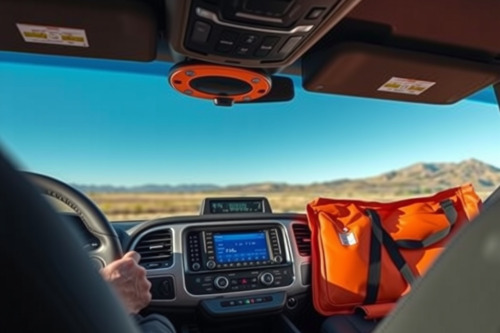
Heading out across 3,000 miles of empty interstate exposes every weak point in your cabin wiring and mounting hardware. After 15 years testing dashboard equipment through desert corridors, I've seen basic gear fail when ambient heat spikes and cell towers vanish. Properly preparing vehicle electronics separates a seamless continental crossing from an expensive rescue on a remote shoulder. We need to lock down your power distribution, antenna lines, and navigation gear before you turn the ignition key.
Power architecture: Stabilizing 12V cabin feeds
Your vehicle power grid fluctuates wildly between engine cranking and highway cruising. Factory 12V accessory ports often drop below 11.4V under high load, causing sensitive microprocessors to reboot unexpectedly. Install an isolated, multi-slot fuse block connected directly to the primary battery via an 8 AWG wire harness. This isolates navigation screens from voltage sags induced by the vehicle alternator and heavy cooling fans.
Load calculations and thermal dissipation
Calculate your continuous amperage before mounting gear. A standard dedicated display pulls roughly 1.5A to 2.4A at 5V, while communication transceivers peak above 8A during transmit bursts. Clean ground paths matter just as much as positive feeds. Bolt ground lugs directly to bare chassis steel, treating the surface with dielectric grease to prevent oxidation over thousands of miles.
Primary gps navigation hardware selection
Relying on a standard smartphone for thousands of continuous highway miles is an amateur mistake. Thermal throttling will black out mobile screens within 45 minutes on a sunny dashboard. Choosing the best gps for car setups requires prioritizing passive cooling fins, matte glass treatments, and standalone receiver chipsets. High-grade gps navigation units survive 60°C windshield temperatures without dropping processing cycles.
Eliminating optical and touch failures
Sunlight legibility dictates road safety. Low-cost displays suffer from severe glare washout when crossing southern states during midday sun. Seek displays rated for at least 800 nits of brightness with polarized lens compatibility. Cheaper digitizers also register phantom taps from static build-up and extreme heat, a failure mode known as capacitive ghosting that completely derails active turn prompts.
Signal triangulation and dead reckoning systems
Multi-constellation receivers acquire positioning data through simultaneous signal triangulation across GPS, GLONASS, and Galileo arrays. Dense tree canopies, mountain passes, and urban high-rises degrade satellite line-of-sight rapidly. The best gps navigation for car builds combines raw satellite reception with internal sensor fusion. Internal 3-axis gyroscopes and accelerometers calculate dead reckoning vectors when satellite geometry drops out entirely inside long tunnels.
Eliminating latency lag on highway interchanges
Processing speed defines navigation accuracy at 75 mph. Inferior units exhibit pronounced latency lag between real-world vehicle position and map cursor rendering. Missing an exit split by 50 meters causes massive detours on toll routes. Make sure your navigation core updates refresh rates at a minimum of 5Hz to 10Hz rather than outdated 1Hz polling cycles.
Routing software and preventing rerouting loops
Standard consumer routing algorithms fail miserably when cell data drops to zero. Pre-load complete offline vector map databases onto local flash memory before departure. Configure local avoidance parameters rigorously. Cheap routing software frequently panics during construction detours, throwing drivers into endless U-turn sequences. Solid navigation firmware excels at preventing rerouting loops by calculating broad path corridors instead of forcing rigid returns to missed waypoints.
Critical steps in preparing vehicle electronics for heat
Vibration and sun damage destroy electronics faster than mileage. Mount hardware using mechanical arm clamps secured to rigid dash surfaces rather than cheap vacuum suction cups. Direct air-conditioning vent airflow toward the rear casing of your primary visual displays to pull heat away from internal voltage regulators. Inspect every USB power harness; thin, unshielded wires drop critical voltage and generate radio frequency interference across AM and VHF bands.
Final protocols for preparing vehicle electronics deployment
Never start a cross-country drive with untested gear fresh out of the packaging. Run your full electronic suite on a 2-hour local shakedown run at highway speeds with all accessories active. Measure current draw, verify satellite acquisition locks through bridge underpasses, and make sure screen positions do not compromise forward sightlines. Complete your hardware audit, lock down your terminal connections, and hit the highway with absolute technical confidence.