
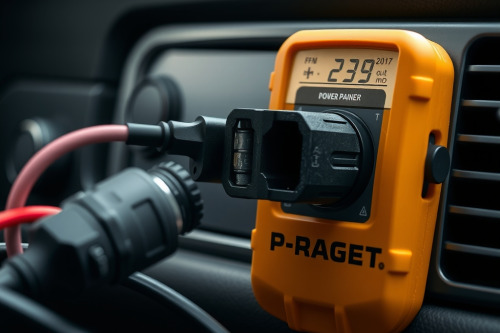
Your navigation rig suddenly goes black right before a highway interchange, leaving you stranded. In my 15 years servicing commercial vehicle telematics, 9 out of 10 dead screens stem from dead socket connections rather than fried chips. Systematic troubleshooting power adapter fuses will isolate whether your 12V port, cable core, or internal fuse dropped offline. Follow these bench-tested steps to restore power before hitting the asphalt.
Anatomy of 12V Ports and Troubleshooting Power Adapter Fuses
Your vehicle cockpit provides electrical current through a legacy accessory port. Modern drivers run dedicated GPS hardware off this socket continuously. Inside that spring-loaded adapter tip sits a small, sacrificial glass or ceramic safety fuse designed to blow under 2A to 5A overloads.
Vibrations loosen mechanical contacts over time. Potholes rattle the internal center pin against the socket base, generating micro-arcs and transient voltage spikes. When you understand how the spring, contact nipple, and internal fuse link operate, troubleshooting power adapter fuses becomes simple diagnostics instead of blind guesswork.
Diagnostic Bench Steps for Cigarette Lighter Sockets
Check the dashboard source before unscrewing adapter components. Sockets collect loose debris, coins, and road grime. Grab an automotive circuit tester or a digital multimeter to measure static DC voltage at the auxiliary power outlet.
Verifying Base Voltage
Ground your negative probe against bare chassis metal. Carefully slide your positive probe into the center contact point at the bottom of the cylinder. Read the display. You need 12.2V to 12.6V with the engine off, and 13.8V to 14.4V with the alternator spinning. Readings under 11.8V show terminal corrosion, a blown cabin fuse panel link, or excessive line resistance across factory wiring harness runs.
Inspecting Mechanical Retention
Tension clips inside the cylinder degrade over 1000s of kilometers. Loose side ground clips cause constant drops in current delivery. Push the adapter in and wiggle the housing firmly. If the status LED flickers, adjust the internal ground springs using a non-conductive nylon pry tool while the vehicle ignition circuit is completely powered down.
Power Starvation Symptoms in GPS Navigation Hardware
Unstable current wrecks receiver stability before the unit shuts off entirely. When voltage drops below operating thresholds, satellite acquisition falls apart first. The device drops locked channels, forcing the chipset to scramble during satellite signal triangulation under dense tree cover.
If line voltage dips rapidly, dead reckoning sensors lose calibration instantly. Gyroscopes and wheel-tick algorithms depend on stable millivolt references. Once that baseline drops out in tunnels, location drift takes over.
Hardware throttles performance when starving for current. Processors exhibit severe latency lag during high-speed map zooming. You push the display to maximum luminance to fight glare washout on sunny afternoons, but that extra draw overheats a loose adapter barrel. Poor grounding also induces stray electrical noise across digitizers, provoking phantom touches and capacitive ghosting while you drive. Clean, consistent power remains critical for preventing rerouting loops when executing high-speed navigation calculations.
Step-by-Step Guide to Troubleshooting Power Adapter Fuses
Even the best gps for car will shut down if its internal adapter cylinder blows out. Never force the plastic components. Follow this bench procedure to service the power plug.
Step 1: Disassemble the Adapter Plug
Unscrew the knurled threaded collar at the adapter tip. Work over a clean magnetic tray to catch the parts. Withdraw the metal contact tip, the retaining spring, and the internal cylinder fuse. Inspect the assembly sequence closely for proper reassembly.
Step 2: Inspect and Test the Fuse
Hold the glass tube directly against a light source. A vaporized filament or blackened glass confirms a fast-blow failure. Hairline fractures can hide under end caps, however. Set your meter to lowest resistance or continuity mode. Place probes across both metal caps; any reading above 0.5 ohms means the fuse must be retired.
Step 3: Match Exact Replacements
Replace blown units strictly with identical fast-acting glass cartridge fuses rated at 250V and the manufacturer-stamped amperage (typically 2A or 3A). Never install a 10A or 15A fuse to stop repeated blowing. Bypassing ratings risks melting your dashboard harness or frying the power distribution board inside your best gps navigation for car.
Preventing Electrical Spikes and Protecting In-Cab Navigation
Heavy engine cranking drops system voltage down to 9V, followed by alternator spikes reaching 16V. This transient surge stresses low-cost adapter regulators. Unplug your gps navigation plug before starting high-compression engines or running auxiliary winches.
Inspect cable strain reliefs every 3 months. Stiff power cables pull the plug out of alignment inside loose sockets, producing electrical arcing. Use adhesive cable routing clips along the dashboard trim to reduce mechanical leverage on the 12V port.
Field Deployment Recommendations
Inspect your vehicle 12V socket quarterly to maintain uninterrupted GPS hardware uptime. Clear out pocket lint, inspect internal tension clips, and pack spare fast-acting fuses in your glove compartment. Master troubleshooting power adapter fuses on your bench today to keep your mapping systems tracking accurately on every road trip.