
A black screen in heavy traffic turns reliable routing into an immediate road hazard. Over 12 years of tearing down dashboard setups, I have seen endless drivers replace units when a simple voltage bottleneck was the real culprit. When your GPS unit won't stay powered on, basic power diagnostics will save you hundreds of dollars. Let's isolate the hardware failure before you discard a perfectly functional navigator.
Electrical bottlenecks when your GPS unit won't stay powered on
Power delivery systems in automobiles are harsh. The 12V accessory port takes dirty alternator current and feeds an internal regulator to push 5V DC to your dashboard mount. When current drops below 4.75V under load, modern processors trip their low-voltage shutdown threshold immediately.
Measuring the 12V socket power drop
Stock accessory sockets loosen up over time. Constant road vibration backs the spring-loaded contacts out of the socket barrel, interrupting power for micro-seconds. That tiny interruption forces the device to switch to its backup battery instantly. If the battery is depleted, the unit drops out cold.
Dash power cable resistance and cheap replacements
Never rely on ultra-thin aftermarket charging leads. Cheap 28 AWG copper-clad aluminum wires drop voltage significantly across a 2m run. Even the best gps for car hardware fails when starved of stable 2A current. You need solid 24 AWG or 20 AWG pure copper leads to feed power-hungry screens without voltage collapse.
Internal battery degradation and thermal shutdowns
Dedicated navigators rely on a small lithium-ion pack to bridge power interruptions. When that cell dies, the operating system can't buffer momentary dips from the ignition or accessory rail.
Cabin heat and thermal cut-off switches
Direct summer sun turns your windshield into a radiant heater. Temperatures on top of the dash easily climb past 65°C. At these thermal extremes, battery protection circuits cut incoming current to prevent swelling or fires. To combat intense sun exposure, modern displays fight back with 1000-nit backlights, but this extra brightness creates severe thermal buildup that triggers sudden shutdowns.
Signs of internal lithium-ion battery failure
Watch for screen separation or unprovoked reboot cycles. A swollen cell puts pressure on internal board traces, inducing hardware errors. If the device powers off the exact second you turn off your car ignition, your internal buffer battery is dead.
Port mechanical fatigue: mini-USB power port wear
Repeatedly mounting and dismounting the device ruins physical connectors. Surface-mount USB jacks endure immense physical leverage every time you hit rough pavement or tug a taught cable.
Broken solder pads and center pin damage
Inspect the receptacle with a bright light. If the internal plastic tongue moves or shows copper wear, the connection is compromised. Intermittent charging caused by damaged pins induces nasty hardware freezes. Unstable voltage can even trigger capacitive ghosting on touch panels, registering phantom inputs that ruin your route planning.
Power delivery impacts on navigation performance
Modern routing relies on steady, uninterrupted power delivery. Cutting corners on your supply leads to erratic system behavior long before the screen goes completely dark.
Processor throttling and signal triangulation loss
When input current drops, GPS chipsets throttle clock speeds. This introduces latency lag into real-time map drawing. Slow calculations disrupt signal triangulation across multiple satellite constellations, causing location drift on city streets. Stable voltage ensures your dead reckoning algorithms maintain positional accuracy through tunnels when satellite reception drops out completely.
Preventing rerouting loops with solid electrical feeds
Voltage dips reset the internal compass and gyro calibration. When the processor stumbles, it calculates false deviations from your actual lane. This throws the software into endless calculations, preventing rerouting loops from resolving cleanly while you drive. Investing in reliable power rails ensures the best gps navigation for car applications runs smoothly under heavy graphical rendering.
Bench testing and verifying stable gps navigation
Diagnosing the root failure requires an orderly bench check. Don't guess; measure the parameters directly.
Field troubleshooting with dedicated testing tools
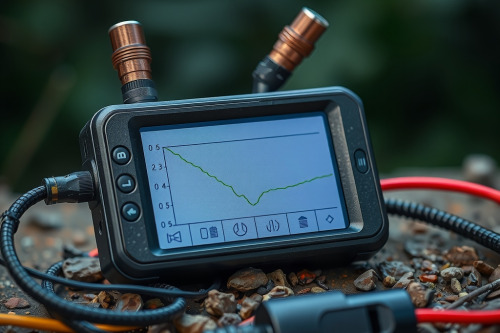
Grab a digital multimeter and check your vehicle accessory socket with the engine running. You should see 13.8V to 14.4V across the terminals. Plug in an inline USB power meter to measure operating draw. Premium standalone gps navigation units pull roughly 1.2A to 1.8A during initial satellite acquisition with screen brightness set to 100%.
Preventing shutdowns: if your GPS unit won't stay powered on
Stop throwing money at replacement units before verifying the wiring harness. Inspect your 12V adapters for burnt center pins, replace degraded thin USB cables with shielded high-gauge lines, and relocate your mount out of direct air-vent heat. If your GPS unit won't stay powered on after fixing external power leads, open the casing and replace the internal cell. Run these electrical checks today to lock down rock-solid dashboard navigation on your next run.