
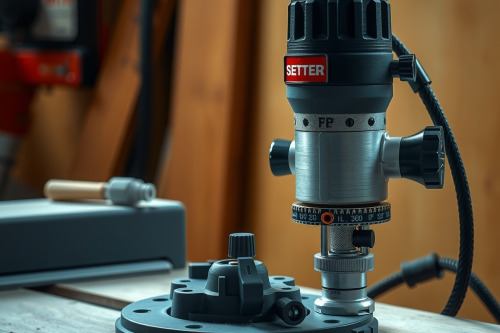
Spinning a profile cutter at 24000 RPM into rock maple ruins workpieces within seconds. Through 25 years running millwork on commercial job sites, I learned that correct wood router speed settings separate clean edges from scorched scrap. You must match the tool speed to the specific board density and cutter diameter. Dialing this balance protects your motor and stops dangerous kickback on your first pass.
The physics of wood router speed settings and cutter diameter
Rookie operators often leave their tool pinned at maximum velocity. Running any standard wood router at full speed with a large diameter bit creates excessive rim speed. Peripheral speed increases dramatically as cutter width expands. A 12.7mm straight bit behaves very differently than an 88mm raised panel cutter at 22000 RPM.
Centrifugal force stresses carbide tips when RPM exceeds safe operating limits. If rim speed runs too hot, friction glazes the wood pores instantly. Heat softens tool steel edges and leads to premature dulling. Variable speed dials exist to drop revolutions while maintaining motor torque under load. Professional cabinet shops rely on a digital tachometer to verify arbor speed under heavy stock removal.
Softwoods versus hardwoods: Matching RPM to timber density
Porous softwoods like pine, cedar, and fir cut easily but splinter unpredictably. High spindle speed with an aggressive feed rate prevents fibrous stringing along the grain. Drop your feed rate too much, and you'll see immediate end grain tear-out. Keeping speed around 18000 to 22000 RPM for small bits yields crisp profiles in yellow pine.
Dense hardwoods demand respect. White oak, hickory, and hard maple generate massive friction against carbide cutters. Reduce your machine to 14000 or 16000 RPM when profiling dense stock. The best wood router maintains consistent rotational torque even when timber resistance peaks. Pushing a tool too fast through dense timber results in burning the stock, leaving black scorch marks that require hours of scraping to repair.
Recommended RPM targets by timber classification
Use these baseline figures on the job bench:
- Softwoods (Janka rating under 900): 18000 to 24000 RPM with bits under 25mm diameter.
- Medium Hardwoods (Janka 900 to 1400): 16000 to 18000 RPM for clean grain shearing.
- Dense Exotics (Janka over 1400): 12000 to 15000 RPM to suppress heat buildup.
- Large architectural bits (over 50mm diameter): 10000 to 12000 RPM regardless of species.
Preventing bit chatter and stock burn on deep passes
Taking heavy cuts in a single pass overloads the motor spindle. The tool deflects, creating harmonic vibrations known on the shop floor as bit chatter. This vibration leaves washboard ridges across your workpiece. Eliminate chatter by dividing the full profile depth into 3 separate stepped passes.
Set your preliminary cut to remove 60% of the material. Run your second pass at 30%, then clean up the final 10% with a swift pass. This stepping technique prevents collet slip caused by severe tool loading. Keep your feed steady. Hesitation inside the cut concentrates heat in one spot, baking resin into the cutter flute.
Calibrating wood router speed settings for large profiling bits
Large bits create distinct mechanical drag during operation. A detailed / complete wood router review often points out motor bogging when swinging 63mm crown molding cutters. Never run these massive cutters above 12000 RPM. High mass generates extreme gyroscopic forces that make handheld work hazardous.
Mount large cutters in a stationary table setup with secure featherboards. When making heavy cuts, fine shavings build up quickly in the extraction housing. A severe dust collection choke allows chips to circulate back into the cutter path, creating heat that ruins edge sharpness. Keep dust extraction velocity high to evacuate waste before heat accumulates.
Shop-tested rules for clean passes and tool longevity
Listen closely to the motor pitch while feeding timber. A steady hum indicates balanced wood router speed settings and correct physical pressure. If the pitch drops sharply, you're pushing too fast or running inadequate RPM. Back off slightly to allow motor recovery.
Inspect your tool collet before tightening the nut. Clean sawdust from collet threads and chuck faces every time you swap cutters. Resin deposits inside the collet cone reduce grip strength significantly. Wipe bits down with solvent to remove pitch before storing them away.
Dialing wood router speed settings on the job
Matching rotational speed to timber density preserves machine bearings and delivers furniture-grade surfaces. Do not treat speed selection as guesswork. Check the cutter diameter, cross-reference timber hardness, and set your variable control before engaging the power switch on your wood router. Inspect your scrap piece test cut immediately before running expensive finish boards through the line.