
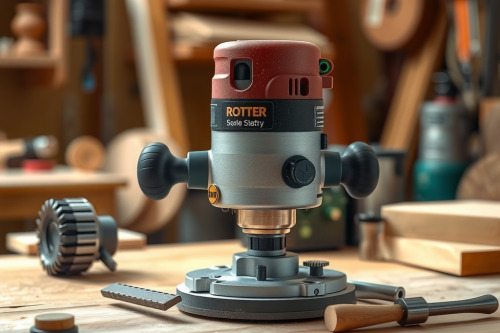
Spinning a carbide cutter at 24,000 RPM into stubborn white oak will ruin your workpiece and scorch your tooling within seconds. After 20 years on the shop floor, I've seen too many green woodworkers wreck expensive projects because they ignored proper router speed settings for timber densities. You can't treat soft sugar pine the same way you plow through hard maple. Matching your motor RPM to the wood species and profile depth keeps your edges clean and prevents dangerous kickback.
Why router speed settings for timber densities dictate cut quality
Every wood router relies on rim speed, meaning the velocity of the bit's outer cutting edge. When running high-density stock like hickory or ipe, excessive speed generates severe friction. That friction ruins cutter temper and causes burning the stock. Conversely, crawling at low RPM through soft cedar tears the fibers instead of shearing them cleanly. Balancing cutting feed rate with motor speed eliminates bit chatter and produces mirror-smooth surfaces directly off the tool.
Reading timber density: softwoods versus dense hardwoods
Timber density dictates how much resistance your cutter faces per revolution. Low-density softwoods like pine and spruce forgive slightly erratic feeds, but they crush easily under dull cutters. You must spin the tool faster to slice cleanly without jagged tear-out.
High-density hardwoods and heat buildup
Dense timbers like hard maple, walnut, and exotic teak possess tight cell structures. Running your wood router flat-out at 22,000 RPM against these species glazes the surface instantly. Heat transfers directly into the cutter arbor. Over time, that thermal expansion causes collet slip, which ruins your profile depth and damages your machine.
Bit diameter and variable speed router dial mechanics
Speed control isn't merely about timber species; cutter diameter acts as a massive mechanical multiplier. Even the best wood router will bog down if you run a 75mm raised panel bit at top speed. A larger cutter has a higher peripheral tip speed at any given RPM. Keep your 12mm straight bits spinning high, but dial down large profile cutters immediately. Always check the bit shank for factory maximum speed limits before chucking it up with a dependable dial indicator to verify runout.
Eliminating bit chatter, burn marks, and dust collection choke
Clean cuts depend on continuous chip clearance. If chips stay packed inside the cut channel, your bit recuts wood waste instead of fresh timber. That re-cutting cycle triggers friction, scorching, and nasty bit chatter.
Clearing chip buildup
Maintain steady forward momentum when feeding the workpiece. If you pause, the spinning flutes dwell in 1 spot and leave dark burn marks. A heavy profile cut produces voluminous shavings that cause immediate dust collection choke on underpowered shop vacs. Clean out your extraction shrouds regularly so airflow cools the cutting edge.
Dialing router speed settings for timber densities on the bench
Use these baseline figures before flipping the switch on your bench:
- Softwoods (Pine, Fir, Cedar) with bits under 25mm: 18,000 to 22,000 RPM
- Softwoods with bits 25mm to 50mm: 14,000 to 18,000 RPM
- Medium Hardwoods (Cherry, Walnut) with bits under 25mm: 16,000 to 20,000 RPM
- Medium Hardwoods with bits 25mm to 50mm: 12,000 to 16,000 RPM
- Dense Hardwoods (Oak, Maple, Ipe) with bits under 25mm: 12,000 to 16,000 RPM
- Dense Hardwoods with bits over 50mm: 8,000 to 12,000 RPM
Taking 3 shallow passes yields better results than forcing full profile depth in 1 run. Don't push your tools past their mechanical limits.
Practical field inspection and equipment selection
Before reading any promotional wood router review, look closely at the variable-speed motor specifications. A good tool holds constant RPM under heavy loading via electronic speed control. Check the collet taper for wear, as grime and resin create uneven grip. Listen to the motor under load; a high-pitched screech signals excessive feed resistance or dull carbide. Dialing proper router speed settings for timber densities protects both operator and inventory. Inspect your router bits before the next shift, clean the collets, and calibrate your motor dials to match your stock.