
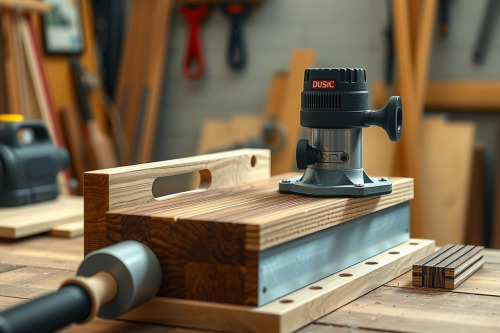
Running a high-torque motor wide open on dense hardwood ruins carbide cutters and destroys expensive stock in seconds. Over 25 years on the bench, I have seen too many apprentices ruin quartersawn white oak because they treated every board like soft pine. Dialing in the correct router speed settings for timber densities stops burning the stock dead in its tracks while preserving your tooling. Get your rotational numbers right at the start, or prepare to spend hours cleaning up scorched profiles with cabinet scrapers.
Understanding router speed settings for timber densities
Wood isn't uniform plastic. Softwoods like western red cedar feature loose cell walls that give little resistance to a spinning edge. Hardwoods like hard maple and ipe fight back with extreme fiber density and natural silicates. Running a variable-speed wood router at a fixed 24000 RPM across both materials invites failure. When your cutter spins too fast for the feed rate in dense boards, friction spikes instantly. The heat dulls cutting edges made of tungsten carbide and leaves charred black marks that finish stains will never hide.
Lowering the RPM increases the chip load per tooth. That chip carries away the heat, keeping the cutter cool and the cut face crisp.
Why bit diameter dictates your base RPM threshold
You can't talk about timber density without calculating cutter diameter. Peripheral tip speed dictates heat build-up far more than motor shaft rotation alone. A 6mm straight bit spinning at 22000 RPM travels along the perimeter at a modest surface speed. Jam a 75mm raised panel bit into the same motor at max RPM, and the cutter tips scream past supersonic speeds, generating violent bit chatter that can shake your workpiece loose.
Baseline diameter reference rules
Use these baseline figures before adjusting for wood hardness:
- Up to 25mm diameter bits: 18000 to 24000 RPM.
- 25mm to 50mm diameter bits: 16000 to 18000 RPM.
- 50mm to 65mm diameter bits: 12000 to 16000 RPM.
- Bits exceeding 65mm diameter: 8000 to 12000 RPM.
Exceeding these limits risks shank distortion and sudden collet slip inside the motor taper.
Calibrating router speed settings for timber densities on the bench
Once you match bit diameter to a baseline speed, tweak the dial to match your wood species. Softwoods tolerate higher peripheral speeds because their porous structure yields without generating friction. White pine, basswood, and alder cut clean between 18000 and 22000 RPM using smaller profile bits.
Medium-density stock like walnut and cherry requires you to throttle down by roughly 2000 RPM. Cherry scorches if you look at it wrong. Feed deliberately, run your motor around 16000 to 18000 RPM, and take shallow passes.
Dialing in heavy hardwoods
Dense species require low RPM and steady forward tool pressure. Hickory, hard maple, and jarrah turn cutters dull if you push too fast at top speeds. Drop your variable speed dial to the 13000 to 16000 RPM range. Listen to the motor whine. A high-pitched scream means your cutter is rubbing rather than severing wood fibers.
Managing feed rate, profile depth, and chip clearance
Speed dial numbers only solve half the equation. You must coordinate forward feed speed with bit rotation. Pushing the machine too slowly creates rub friction. Pushing too quickly causes deep tear-out along grain reversals and risks motor stall.
Never hog out full profile depth in a single swipe. Split a 12mm deep profile into 3 separate 4mm passes. On the final pass, remove merely 0.5mm of stock to leave a glass-smooth edge that requires zero sanding. Always make sure clear extraction paths. A nasty dust collection choke traps hot shavings inside the cut channel, recutting waste chips and scorching the wood grain instantly.
Selecting the best wood router platform for speed control
If you read any serious wood router review, you know that raw horsepower means nothing without closed-loop electronic feedback. High-end motors monitor armature resistance under load. When a cutter bites into rock-hard white oak, the electronic brain pumps more current to maintain steady cutter rotation instead of bogging down.
Look for tools offering wide adjustment ranges, usually from 8000 to 24000 RPM. Plunge bases with micro-adjust depth stops give precise vertical control. Sturdy 12mm collet assemblies resist deflection far better than 6mm trim units, keeping bit chatter non-existent on structural cuts.
Practical checklist for speed and site execution
Dialing router speed settings for timber densities requires discipline on every single pass. Stop guessing variable numbers and inspect your cut surface immediately after initial contact.
- Inspect collet interior surfaces for resin build-up to prevent shank movement.
- Match bit diameter to baseline RPM before modifying settings for grain density.
- Drop motor speed by 15% when transitioning from face grain to stubborn end grain cuts.
- Check chip appearance; you want distinct paper-thin curls, not fine flour dust.
Set your speed dial based on cutter diameter, lock your fence down tight, and test your feed rate on scrap lumber before cutting into finished workpieces.